Slack AI assistant
Slack AI assistant your whole team can hand real work to
Most Slack bots answer questions. Demi does the work and posts the result in the thread: the brief, the drafted reply, the updated record, each one waiting for someone to approve it.
- Context from across your work
- Prepared before you ask
- You approve the next step


Trusted by professionals at



- SOC 2 Type II
- CASA Tier II
- Google-verified app
What a Slack AI assistant should hand back
Three things that separate an assistant your team actually uses from one that gets muted in the second week.
Hand it work in the channel where the work came up
No side window, no pasting context back and forth. You mention it in the thread that created the work, and it already knows which account the thread is about because it can see the record behind it.
#deals, this morning- SamHalden asked for the SOC 2 report again
- @DemiPulled it, and the last two they had
- @DemiReply drafted in Priya's voice
All of it in the thread, none of it in a DM to yourself
Get the finished artifact back in the thread, not a link to somewhere else
Most Slack bots answer with text and a link to go and do the thing. Demi replies with the thing: the brief written, the draft ready to send, the record staged and waiting on a human.
Posted in the threadDraftTopriya@haldengroup.comSOC 2 report attached, plus the penetration test summary your security team asked about in June.
Anyone on the deal can approveGive everyone one teammate without making anyone the person who owns the AI
One workspace install, one shared teammate, one memory of what this company has told which customer. Nobody has to become the internal expert who gets asked to run things for other people.
Staged from #deals- Stage
- ProposalSecurity review
- Last sent
- Not trackedSOC 2 report, from the thread
How the Slack AI assistant does the work
One install and the whole workspace has it. There is nobody to designate as the person who owns the AI.
- Your tools
 Slack
Slack Gmail
Gmail Outlook
and 9 more from your stack
01Add it once
Add Demi to your workspace and connect the tools your team already works in.
- #deals@Demidraft the reply on this02
Tag it in the thread
Tag it in any channel, or send it a direct message, in the thread where the work came up.
- Waiting on someone
Reply drafted in the thread
Anyone on the deal can approve it
ApproveEditSkip03Someone approves
It replies with the thing itself. Anything that sends, commits, or changes a record waits for someone to approve it first.
In the thread
Tag it where the work came up
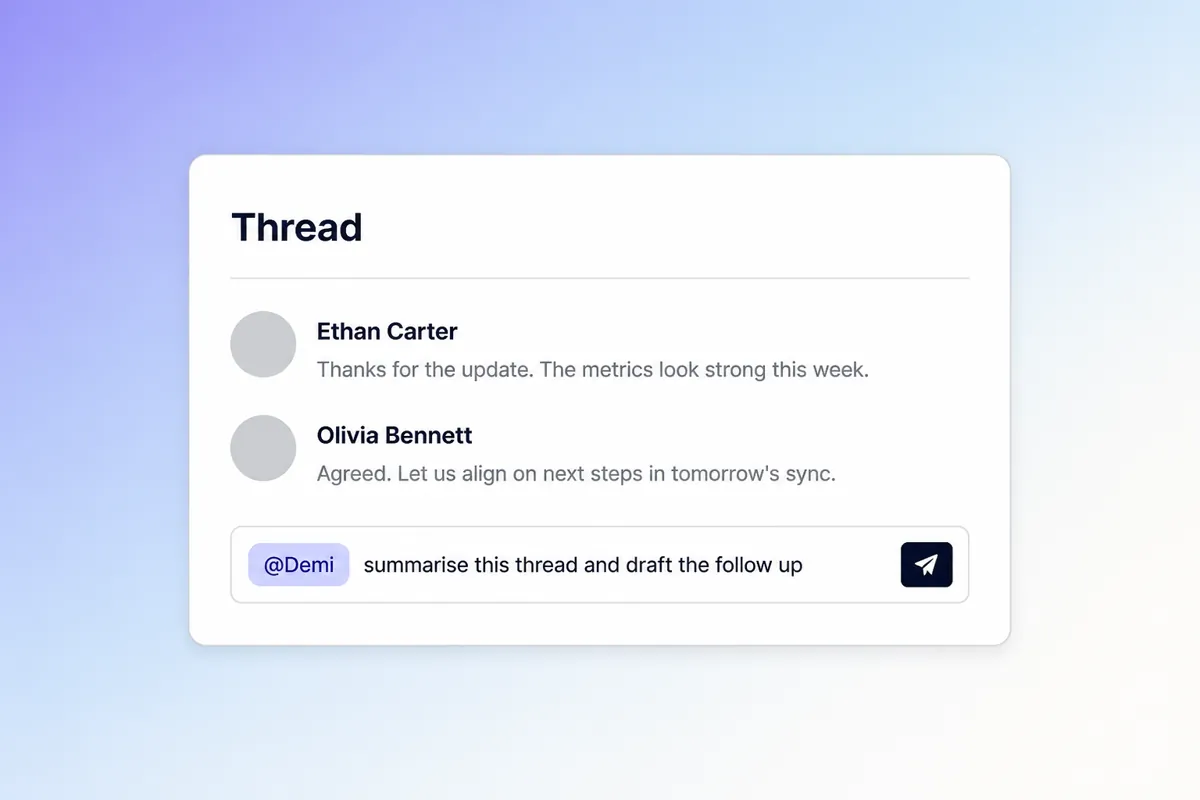
You do not brief Demi in a side window and paste the result back. You mention it in the thread that created the work, and it replies in that thread with the summary, the draft or the staged record.
Slack is the doorway, not the context
The question gets asked in a channel. The answer is almost never in that channel, which is why what Demi is connected to matters more than what it can read in Slack.














What changes once you have one
Founders, sellers, recruiters, and the people who live in their inbox.

“As a founder, my inbox is a constant firehose. Demi shows me what needs attention, drafts responses in my voice, and keeps follow-ups moving.”

Samir DuttaFounder, Farsight AI

“Demi keeps every recruiting conversation organized, helps me prep faster, and makes follow-up feel thoughtful.”

Dana Schafer-SmithDirector, Technical Recruiting, Kleiner Perkins

“Demi preps me for every meeting, updates the CRM, and streamlines my sales motion without extra admin.”

Chase MacaioneHead of Global Sales, Valdera

“The best CEOs stay in touch, follow through, and show up prepared. Demi makes those habits feel effortless.”

Bing GordonDirector, Duolingo

“Demi sounds like me!”

Abby TorgglerProject Manager, Nen Creative

“Demi lets me respond to customers instantly while keeping every reply thoughtful, concise, and personal, adapting to exactly what I need and giving me hours back every week.”

Matthew DumonCustomer Success Manager, Avoca

“Demi is the sales-tuned drafting assistant I could never quite get another tool to be. Takes the drudgery out of replies, recaps, and follow-ups so I can sell faster and more tailored.”

Michael ChapmanEnterprise Account Executive, Spellbook

“Demi’s drafts are so good I can often just hit send. It feels like it already knows what I was going to say.”

Kush AgarwalDirector, AI Deployment, Further AI

“I am absolutely OBSESSED with Demi. I am always so shocked with the drafts it creates for email replies - it's always so spot on with my voice.”

Emma SturtevantFounder, Emma Sturtevant Career Coaching
“As a founder, my inbox is a constant firehose. Demi shows me what needs attention, drafts responses in my voice, and keeps follow-ups moving.”
Samir DuttaFounder, Farsight AI
“I am absolutely OBSESSED with Demi. I am always so shocked with the drafts it creates for email replies - it's always so spot on with my voice.”
Emma SturtevantFounder, Emma Sturtevant Career Coaching
“Demi lets me respond to customers instantly while keeping every reply thoughtful, concise, and personal, adapting to exactly what I need and giving me hours back every week.”
Matthew DumonCustomer Success Manager, Avoca
“Demi preps me for every meeting, updates the CRM, and streamlines my sales motion without extra admin.”
Chase MacaioneHead of Global Sales, Valdera
“Demi is the sales-tuned drafting assistant I could never quite get another tool to be. Takes the drudgery out of replies, recaps, and follow-ups so I can sell faster and more tailored.”
Michael ChapmanEnterprise Account Executive, Spellbook
“Demi keeps every recruiting conversation organized, helps me prep faster, and makes follow-up feel thoughtful.”
Dana Schafer-SmithDirector, Technical Recruiting, Kleiner Perkins
“The best CEOs stay in touch, follow through, and show up prepared. Demi makes those habits feel effortless.”
Bing GordonDirector, Duolingo
“Demi sounds like me!”
Abby TorgglerProject Manager, Nen Creative
“Demi’s drafts are so good I can often just hit send. It feels like it already knows what I was going to say.”
Kush AgarwalDirector, AI Deployment, Further AI
Ask an AI, not us
The question is already typed. Read the answer somewhere we do not control.
 ChatGPTAsk OpenAI's assistant how Demi differs from a chat window.“What is the best AI assistant for Slack, and how does Demi AI compare to Viktor (viktor.com)?”Ask ChatGPT
 ClaudeAsk Anthropic's assistant what an AI teammate actually changes.“What is the best AI assistant for Slack, and how does Demi AI compare to Viktor (viktor.com)?”Ask Claude
 PerplexityGet a sourced answer, with citations you can follow yourself.“What is the best AI assistant for Slack, and how does Demi AI compare to Viktor (viktor.com)?”Ask Perplexity
Frequently
asked questions
Not in the way that word usually means. A bot waits in a channel for a command and answers with text. A Slack AI assistant worth adding does the work instead: Demi is an AI teammate that already has your team's context from the tools around Slack, so when you tag it the reply is the thing itself, the brief written, the draft ready, the record staged. The channel is where you reach it, not where it lives.
Reach. Slack's AI is very good at Slack, which is also the limit: it can summarise a channel because the channel is what it can see. A Slack AI assistant is only as useful as the context behind it, and Demi is connected to the mail, calendar, CRM and documents the conversation is actually about, so it can answer a question raised in a channel using information that was never posted there.
No. The team shares one teammate in Slack that anyone can tag. Separately, each person can run Demi on their own Mac, where it holds their own context, their own voice and their own inbox. Most teams end up using both: shared in the channel, private on the machine.
No. Demi sees the channels you add it to and the direct messages you send it, and nothing else. Its wider context comes from the tools your workspace has explicitly connected, each of which you control separately.
No, and that is rather the point. The work stays in the mail, calendar and CRM it already lives in. Slack becomes a place to hand that work to someone, and the someone is Demi.
The Mac app is home. That is where Demi can see the whole of your day rather than one channel of it, and where the work is waiting when you look up rather than starting when you ask. Slack is how the rest of the team reaches that same teammate, so the Slack AI assistant and the Mac app are one product with one memory, not two tools you have to keep in step. The download is free.
More ways teams use Demi
The same teammate, doing a different part of the job.

Give the team one teammate
Download Demi for your Mac, connect a tool, and tag it in the next thread that creates work.
Download for MacFree to start. You approve every consequential action.
By downloading you agree to our Terms of Service.