AI email assistant
AI email assistant for follow-ups, scheduling, and inbox triage
Demi drafts replies in your voice, prioritizes important threads, books meetings, and keeps customer conversations moving inside Gmail and Outlook.
- Context from across your work
- Prepared before you ask
- You approve the next step
Demi noticed
In your inbox
 Gmail
Gmail Outlook
 Calendar
 HubSpot
 Granola
- RankedNine threads, by what it costs you to leave them
- Cross-checkedTwo of them are about the call you have at four
- PulledThe account detail the reply was missing
- DraftedFour replies, each in the voice that thread needs
Waiting on you before anything leaves your outbox
Trusted by professionals at



- SOC 2 Type II
- CASA Tier II
- Google-verified app
What an AI email assistant should actually take off you
Three things happening before you open the tab, and the first of them is deciding what you open first.
Prioritize email by revenue impact and urgency
An inbox sorts by when something arrived, which is the one thing about a thread that does not matter. Demi orders the morning by what each one costs you to leave, using the deal behind it rather than the timestamp on it.
This morning- 01Nadia Brandt, tiered pricingProposal out, quiet since Tuesday
- 02Halden Group security packPromised Friday, still not sent
- 03Weekly product newsletterMoved to this afternoon
Draft replies and follow-ups that sound like you
Not a template with your name at the bottom. Demi reads how you have actually written to this kind of person before, and every edit you make before approving teaches it the change it should have made itself.
Reply to NadiaDraftTonadia@verity.ioConfirming the tiered pricing we walked through on Tuesday, with the volume break at 250 seats.
Waiting on youTurn meetings and transcripts into next steps
The call ends and the work it created is already listed: what you promised, what they asked for, and the reply that carries both. Nothing here came from you typing it up afterwards.
From your 2pm- YouSecurity pack to Nadia by Friday
- ThemSSO timeline back to you
- BothPricing call with their CFO next week
Each one tracked until it actually happens
Connect the inbox once, then stop starting things
One connection, and then nothing. No rules to write, no workflow to build, no prompt to start.
- Your tools
- Gmail
- Outlook
- Google Calendar
and 9 more from your stack
01Connect the inbox
Connect Gmail or Outlook.
- Reading across
- ReadThe threads, and what each one is waiting on
- CheckedThe day you actually have, not the gaps in it
02Demi reads across
Demi learns your writing style and active deal context.
- Waiting on you
Reply to Nadia Brandt
Tiered pricing, with the volume break in it
ApproveEditSkip03You approve
Review prioritized threads, suggested drafts, and meeting actions before anything is sent.
Approval
Nothing sends until you have read it
Demi writes the reply with the specific detail the thread was missing, then stops. The draft, the recipient and the attachment are all in front of you before anything leaves your outbox.
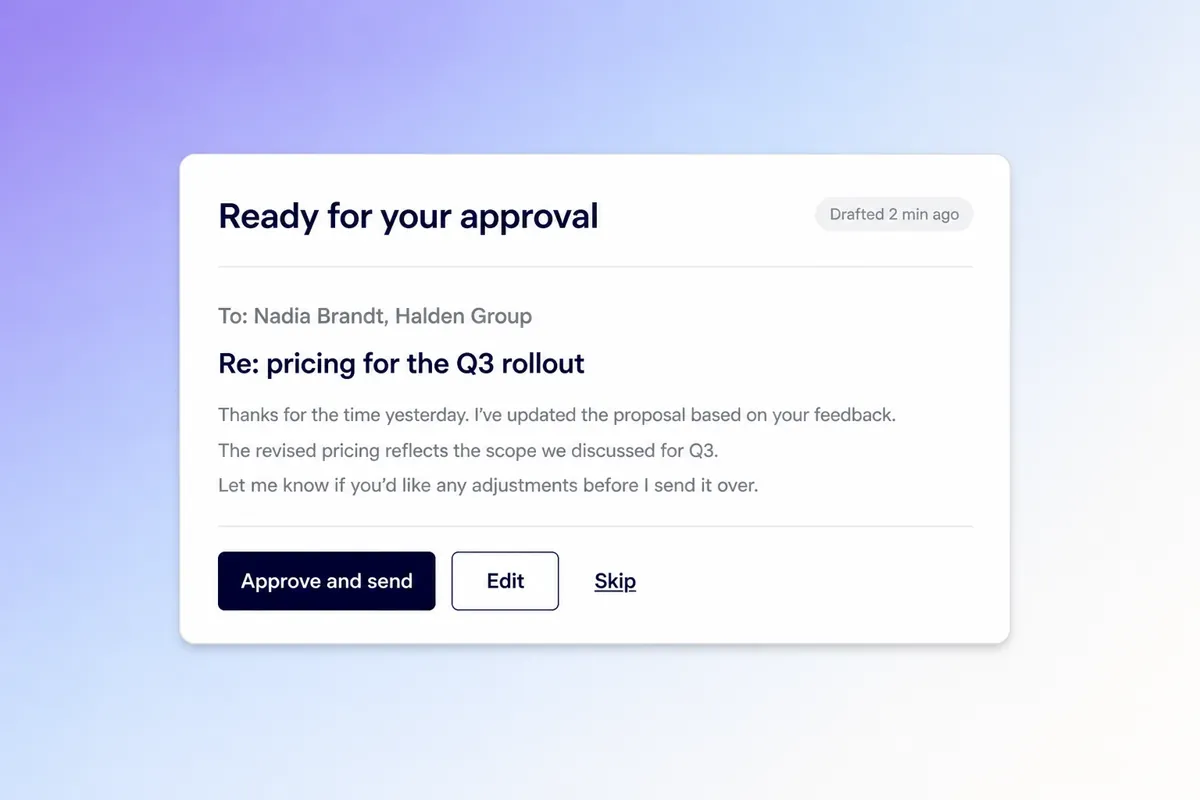
An email assistant is only as good as what it can see
A reply is only as good as what the writer could see. Demi reads these together, which is how the draft ends up with the account detail already in it.













What changes once you have one
Founders, sellers, recruiters, and the people who live in their inbox.

“As a founder, my inbox is a constant firehose. Demi shows me what needs attention, drafts responses in my voice, and keeps follow-ups moving.”

Samir DuttaFounder, Farsight AI

“Demi keeps every recruiting conversation organized, helps me prep faster, and makes follow-up feel thoughtful.”

Dana Schafer-SmithDirector, Technical Recruiting, Kleiner Perkins

“Demi preps me for every meeting, updates the CRM, and streamlines my sales motion without extra admin.”

Chase MacaioneHead of Global Sales, Valdera

“The best CEOs stay in touch, follow through, and show up prepared. Demi makes those habits feel effortless.”

Bing GordonDirector, Duolingo

“Demi sounds like me!”

Abby TorgglerProject Manager, Nen Creative

“Demi lets me respond to customers instantly while keeping every reply thoughtful, concise, and personal, adapting to exactly what I need and giving me hours back every week.”

Matthew DumonCustomer Success Manager, Avoca

“Demi is the sales-tuned drafting assistant I could never quite get another tool to be. Takes the drudgery out of replies, recaps, and follow-ups so I can sell faster and more tailored.”

Michael ChapmanEnterprise Account Executive, Spellbook

“Demi’s drafts are so good I can often just hit send. It feels like it already knows what I was going to say.”

Kush AgarwalDirector, AI Deployment, Further AI

“I am absolutely OBSESSED with Demi. I am always so shocked with the drafts it creates for email replies - it's always so spot on with my voice.”

Emma SturtevantFounder, Emma Sturtevant Career Coaching
“As a founder, my inbox is a constant firehose. Demi shows me what needs attention, drafts responses in my voice, and keeps follow-ups moving.”
Samir DuttaFounder, Farsight AI
“I am absolutely OBSESSED with Demi. I am always so shocked with the drafts it creates for email replies - it's always so spot on with my voice.”
Emma SturtevantFounder, Emma Sturtevant Career Coaching
“Demi lets me respond to customers instantly while keeping every reply thoughtful, concise, and personal, adapting to exactly what I need and giving me hours back every week.”
Matthew DumonCustomer Success Manager, Avoca
“Demi preps me for every meeting, updates the CRM, and streamlines my sales motion without extra admin.”
Chase MacaioneHead of Global Sales, Valdera
“Demi is the sales-tuned drafting assistant I could never quite get another tool to be. Takes the drudgery out of replies, recaps, and follow-ups so I can sell faster and more tailored.”
Michael ChapmanEnterprise Account Executive, Spellbook
“Demi keeps every recruiting conversation organized, helps me prep faster, and makes follow-up feel thoughtful.”
Dana Schafer-SmithDirector, Technical Recruiting, Kleiner Perkins
“The best CEOs stay in touch, follow through, and show up prepared. Demi makes those habits feel effortless.”
Bing GordonDirector, Duolingo
“Demi sounds like me!”
Abby TorgglerProject Manager, Nen Creative
“Demi’s drafts are so good I can often just hit send. It feels like it already knows what I was going to say.”
Kush AgarwalDirector, AI Deployment, Further AI
Ask an AI, not us
The question is already typed. Read the answer somewhere we do not control.
 ChatGPTAsk OpenAI's chatbot how Demi differs from a chat window.“What is the best AI email assistant for drafting replies and follow-ups, and what does Demi AI do differently?”Ask ChatGPT
 ClaudeAsk Anthropic's chatbot what an AI assistant actually changes.“What is the best AI email assistant for drafting replies and follow-ups, and what does Demi AI do differently?”Ask Claude
 PerplexityGet a sourced answer, with citations you can follow yourself.“What is the best AI email assistant for drafting replies and follow-ups, and what does Demi AI do differently?”Ask Perplexity
Frequently
asked questions
No. Demi works inside the inbox and calendar tools you already use.
No. Demi creates drafts and recommendations so you stay in control.
From context you already have rather than from a prompt you type. Demi reads the thread, the calendar entry it came from, the call it followed and the record in your CRM, so the reply contains the specific thing that was promised instead of a placeholder where it should be.
They learn to. Demi reads how you have actually written to this kind of person before, and every edit you make to a draft before approving it teaches it the change it should have made itself.
Gmail and Outlook, alongside the calendar, CRM and document tools around them. Demi is a Google-verified app, SOC 2 Type II compliant and assessed at CASA Tier 2.
More ways teams use Demi
The same assistant, doing a different part of the job.

Open your inbox to drafts, not to work
Download Demi, connect your mail, and see what is waiting after your next call.
Start for freeFree to start. You approve every consequential action.
By downloading you agree to our Terms of Service.